

Software · Operator-facing
Remote control of every door, for every site.
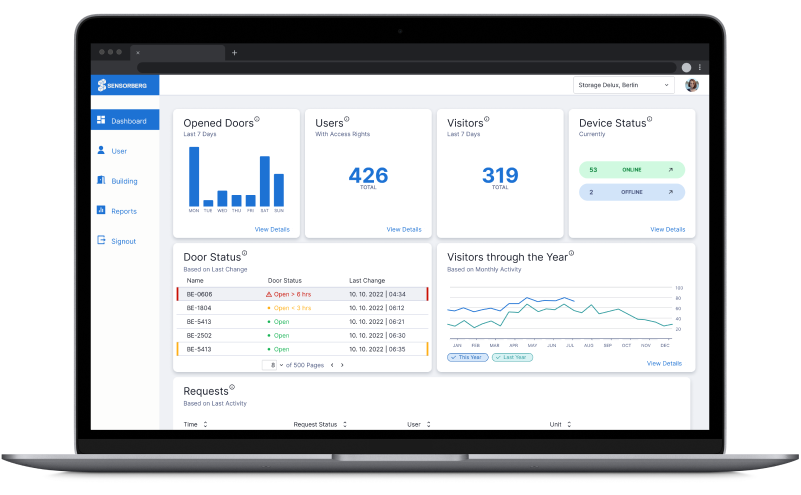
One Access Manager is the web-based dashboard from which operators control their entire facility — or entire portfolio. Grant or revoke access remotely, monitor which spaces have been accessed and when, overlock units in arrears, and manage every site from a single login. No site visit needed.
Core capabilities
One Access Manager puts the full control of your facility into a browser tab — so you can handle every operational task remotely, without being on-site.
Access
Add or remove tenant access from anywhere — instantly, with no site visit.
Arrears
Suspend a unit's access immediately when a payment is overdue. Release just as fast when it clears.
Monitoring
Real-time visibility of which doors are open, which units were accessed, and when — plus facility usage data to identify patterns and optimise your service.
Portfolio
Manage ten sites as easily as one — unified view, cross-site reporting, one account.
How access is structured
A layered model built for scale — not for single-site admin.
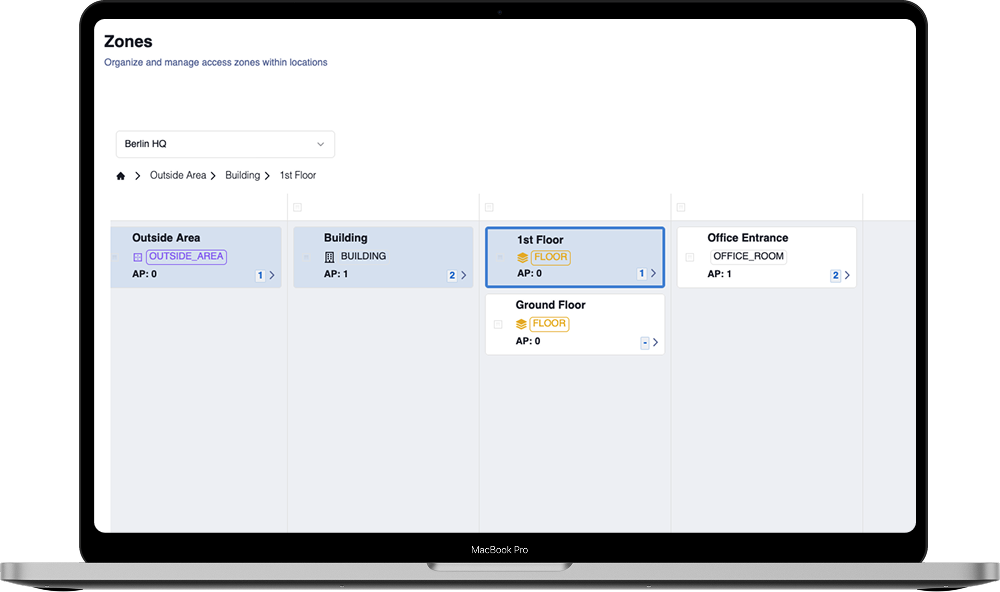
One Access Manager structures access in three layers. Permissions are reusable rules — which zones are accessible, and when. Permission Sets bundle those rules into access packages assigned to users with a start and end date. Zones mirror the physical layout of a facility: building → floor → individual unit, plus shared areas.
This means you create a permission once — for example, "Unit GF-001 — Business Hours" — and reuse it across every relevant tenant. If you update a schedule, it applies to every user holding that permission instantly.
Zone statuses
The fastest arrears workflow in self-storage.
Every zone in One Access Manager carries a status: Available, Rented, or Overlocked. Overlocking suspends a tenant's access immediately — without deleting the permission assignment — so the moment a payment is confirmed, you reverse it in one click.
No phone call to the site. No waiting for a staff member to arrive. The entire arrears workflow happens from a browser.
Access log
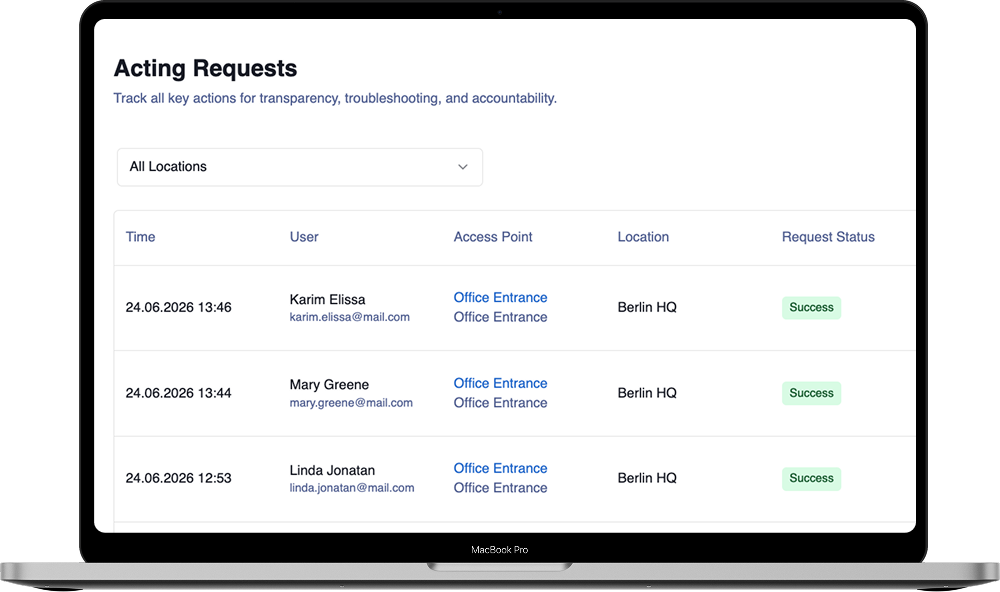
Who accessed which unit, and when — always on record.
One Access Manager logs every access event across your facility. Filter by user, zone, date, or outcome. Export as CSV for security reviews, compliance reporting, or insurance documentation. For multi-site operators, organisation-level reports aggregate across all locations.
When a security event occurs, the audit trail is already waiting. No need to pull footage or ask staff — the log tells you exactly what happened.
Multi-site & automation
For portfolio operators, One Access Manager is where the real efficiency gain lives. Every site you add is managed from the same account — and when it's connected to your booking platform, access is provisioned and revoked without manual steps.
When a tenant books and pays through an integrated platform, a permission set is created automatically — start date, end date, zone. No manual step.
When a contract ends, access is revoked automatically on the end date. No follow-up. No forgotten permissions left active.
Every user has an Admin Role (what they can do in the dashboard) and an Access Role (what they can open in the app). Site managers and tenants are configured independently.
Add users by sending an email invitation, or let them self-register via a link. No manual account creation required.
Open any door from the browser without being on-site — for admitting a contractor, resolving a lockout, or responding to a security alert.
Connects to Kinnovis, Stora, Storeganise, SiteLink, and others. When platforms are linked, Manager reflects every booking change automatically.
Integrations
Connect One Access Manager to your self-storage management software and access becomes fully automated — provisioned at move-in, revoked at move-out, without a manual step in between.


When a tenant books and pays through an integrated platform, a permission set is created in One Access Manager automatically — with the correct unit, dates, and access schedule. When the tenancy ends, access is revoked without any manual step.
Kinnovis, Stora, Storeganise, Sitelink, Space Manager, 6Storage, Storman, Storegister, Storagility, Boxpilote, and more.
Tenant details, unit assignments, and dates live in your management software. The integration makes sure One Access Manager stays in sync — no re-entering data, no risk of divergence between systems, no access that was forgotten to revoke.
One Access Manager exposes a REST API — so if your platform isn't on the integration list, your team (or ours) can build the connection. The same API powers all existing integrations.
See all integrationsBook a demo and we'll show you One Access Manager running on your facility layout — from permissions to the access log, in a live walkthrough.