


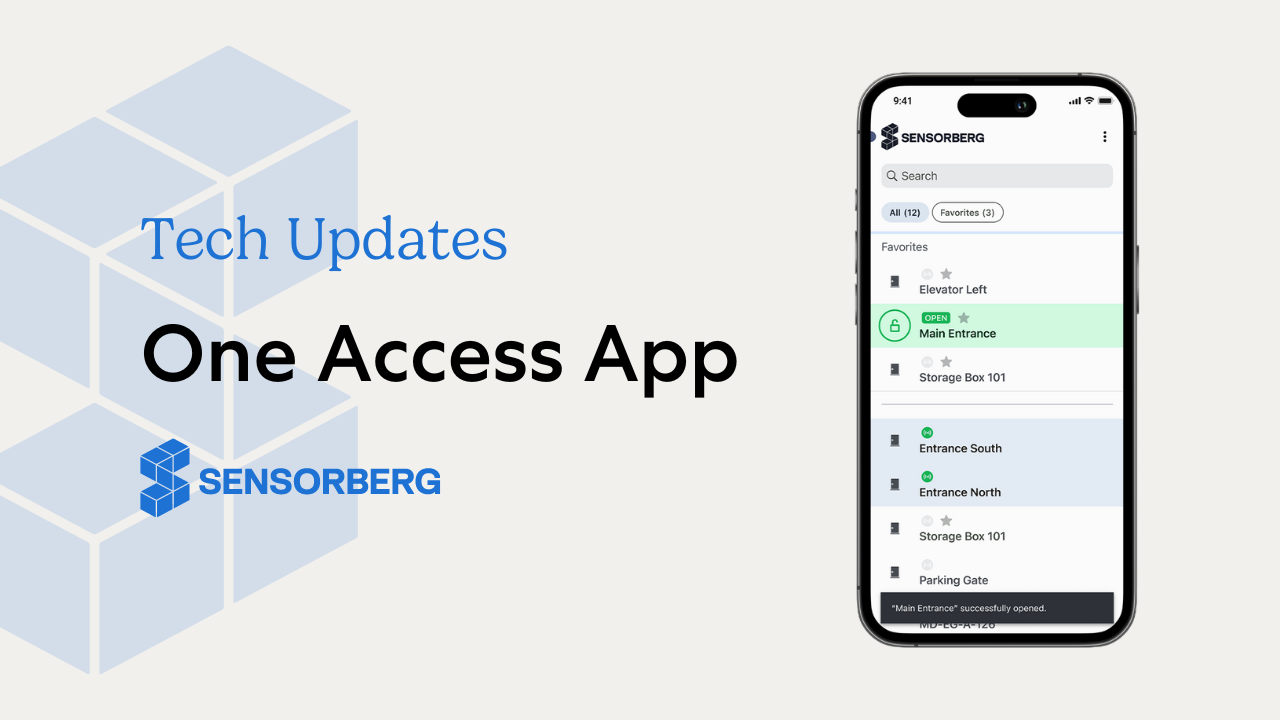
One Access App is the newest solution prepared by the Sensorberg Team. In the last few months, we talked with our customers, researched best practices, and looked for ways in which we could improve the user experience. After evaluating all the data, we knew what the biggest struggles were in operating a storage facility or an office building, and we wanted to make sure that the One Access App will solve them.
Offline and Online Openings
Even if it seems that the internet is everywhere, there are situations where the signal strength is not strong enough to provide safe and quick online door openings. That’s why we make sure that all One Access App customers can access their doors both when they are online with a network connection and offline using Bluetooth. This is particularly important for access control for self-storage facilities, where uninterrupted entry is essential for customers accessing their units at any time.
Search with List and Grid View Support
Loading and searching through a list of thousands of doors can be difficult. Because of that, we decided to support two ways of displaying the list of doors:
- Grid view – optimised for smaller sets of doors.
- List view – ideal for users who need access to hundreds or even thousands of doors.
We improved the app speed to ensure that all items load quickly. We also added a search feature that helps users find the needed door instantly by simply typing its name.
Favourites For Most Frequently Opened Doors
Understanding that your users may frequently access only a limited number of doors, we have introduced a feature that lets them add specific doors to their favorites. These favorited doors will be readily accessible within the Favorites section, enabling quicker and more convenient access.
Theming and Branding
Our solution offers you the flexibility to add your brand identity into the One Access App. By enabling custom branding colors, your customers will immediately recognize your logo and brand when they log in. Our branding options seamlessly adapt to both dark and light themes, ensuring accessibility and responsiveness are optimized throughout the app.
Strengthening Account Security
Our latest updates prioritise enhancing account security. With One Access App, users now have the autonomy to set and reset their passwords at their convenience. This empowers users to take better control of their account safety and ensures self-storage access systems for increased security by keeping accounts protected.
Continuous Development
We want to make sure that the One Access App helps user to quickly and safely access their doors. That is why the app is being constantly updated and we plan at least few major updates in upcoming months. Some of the planned enhancements are:
🔑 Access Sharing
Invite and share your access via App, Email, SMS, and many more options. Configure time frames, limit daily access attempts and automatically revoke access with a simple tap.
🔍 Activity Log
Browse your access history and the one from locations that you have access to. Quickly identify security-related events and react immediately. This feature supports 24/7 access control for self-storage units, ensuring round-the-clock monitoring of entry activity.
💬 Direct Support and Help
Directly set up FAQs in your app and ways for the end user to get in touch with your support team. Instantly receive feedback the moment it is submitted.
With these updates, the One Access App continues to improve access control for self-storage facilities, ensuring that self-storage access systems remain reliable, secure, and user-friendly.