

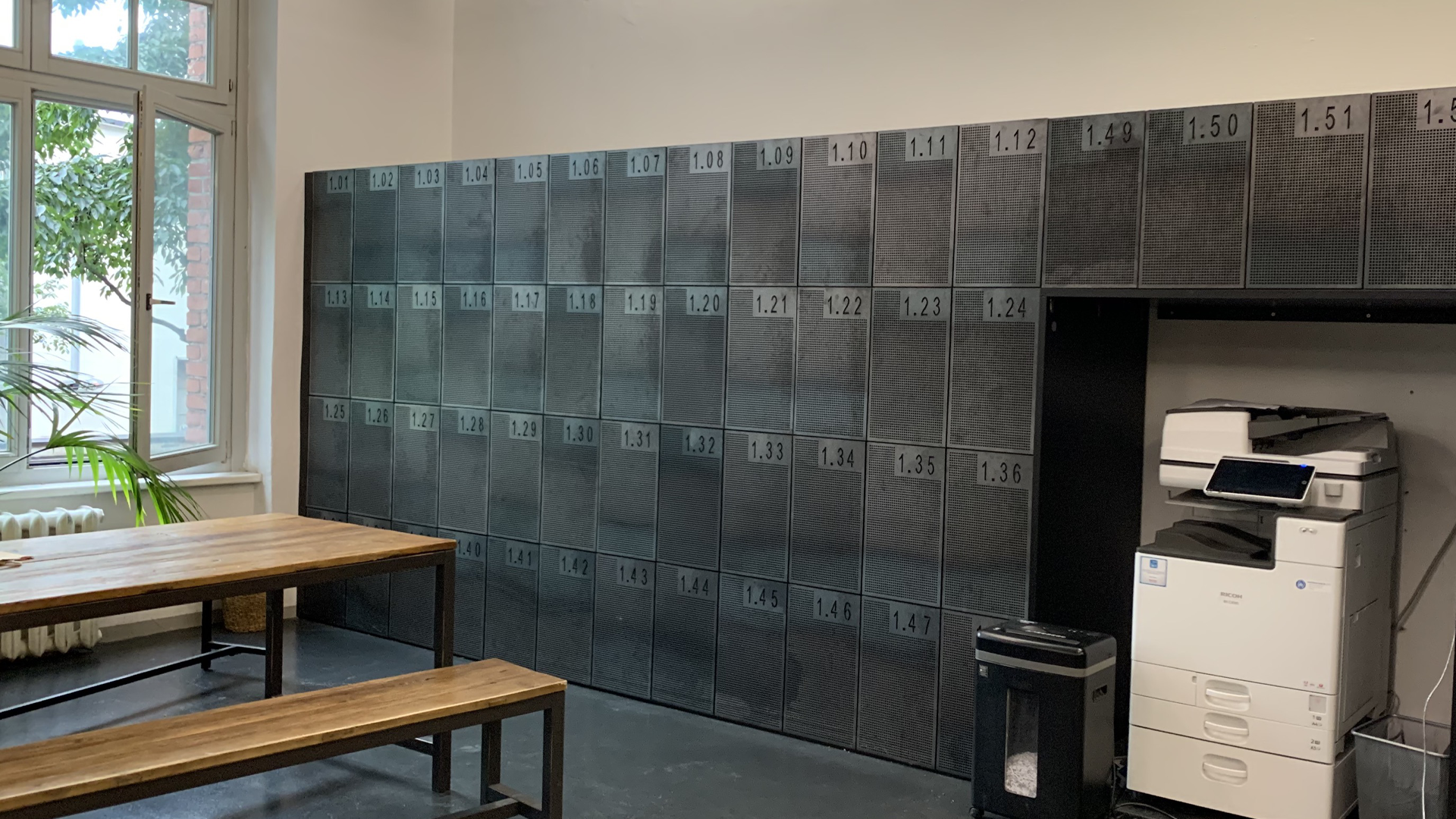
In the era of mobile workplaces and flexible lifestyles, we feel more and more need to use lockers. Whether in the office, while grocery shopping, at train stations and swimming pools… Almost everyone is familiar with the situation when you immediately needed to use a locker but did not have a one-euro coin, or when you did not know where to put the locker key. Usually, you would have to use either bulky key chains or less convenient wristbands.
With the Smart Locker solution from Sensorberg, you can open your locker as easily and quickly as your door – all with just one device. Everything you need is your smartphone with a dedicated app, which enables you booking, opening, closing, and storing your valuables in a locker. No keys, no coins, no numerical codes.
Another advantage over traditional locks and lockers is that our system thinks along. Let’s imagine a situation where you are leaving the office in a hectic rush and forget your belongings in the locker. Well, no worries! You will automatically receive a locker access notification-reminder on your phone when leaving the building.
Your Privacy. Our Priority.
Security is essential, and a proper locker access control solution should protect your belongings and personal data. For this reason, systems should require personal verification via PIN or biometric authentication before unlocking the locker. This ensures that only you have access, and your items are safe.
The locker management system should be designed to encrypt communication between the smartphone and the locker, ensuring that all data transmitted is secure. Whether you’re unlocking a locker with your fingerprint or face scan, only you should have access — and no sensitive data should be stored on the locker itself. This is a crucial part of protecting both user privacy and security.
Also, it’s vital for these systems to comply with regulations like the GDPR, offering transparency and control over how personal data is handled.
And for those wondering: are smart lockers safe? The answer lies in the layered protection, real-time usage tracking, and encryption that define modern systems.
One App. Countless Possibilities.
A good smart locker software solution must be built with simplicity and speed in mind. The app should allow you to unlock your locker with just one tap using Bluetooth or NFC — even without an internet connection. Real-time locker availability, advanced reservations, and the ability to extend your booking remotely are just a few examples of what makes an effective locker management system.
Additionally, a well-designed app should notify you of key events, such as when you forget your items or provide reminders if your locker reservation is about to expire. This not only saves time but adds convenience and reliability to your daily routine.
From Office Desks to Fitness Benches: Smart Lockers Everywhere
While smart lockers are becoming increasingly popular in office environments, their benefits extend far beyond just the workplace. In co-working spaces and offices, they offer employees and freelancers a secure, flexible space to store laptops, personal items, and equipment without the need for physical keys or coins. These systems make it easier for people to move around and between different spaces, knowing that their belongings are safe and easy to access.
Self-storage businesses can also benefit from smart locker solutions, providing customers with a more efficient, secure, and contactless way to store their items. In gyms and fitness centres, smart lockers eliminate the need for worrying about lost keys or dealing with bulky wristbands. Students on university campuses can benefit from bookable lockers across multiple buildings, and even public spaces like train stations and shopping malls can offer secure and efficient storage options for visitors.
With electronic locker management systems, administrators can track locker usage in real time, monitor access, and ensure smooth operations without requiring physical interaction with staff. Whether for everyday use or temporary storage, intelligent locker software streamlines access and management, making it easier for both users and administrators.
One Access Manager, a management platform, is essential for administrators to efficiently oversee locker usage. With such a system in place, administrators can control locker access, monitor usage, and track the status of lockers in real time, ensuring a smooth experience for both users and staff.
A Smarter Way to Store
As workspaces evolve and the need for flexibility and mobility grows, intelligent locker solutions are no longer a luxury — they are a must-have. Whether in co-working spaces, offices, or self storage businesses, these systems offer users secure, flexible, and hassle-free storage options without the traditional complexities of keys, coins, or codes.
The most effective smart locker systems incorporate smart locker access control, ensuring that only authorised individuals can unlock their lockers. They also feature advanced locker management systems that allow users to easily manage their storage needs remotely — from reserving a locker to extending usage periods and receiving automatic reminders.
In the end, a well-designed locker management system delivers the perfect balance of security, convenience, and user control. Whether you’re managing a co-working space, a self-storage facility, or an office, intelligent lockers streamline operations and provide a better experience for everyone.
The future of secure, flexible storage is here. Ready to take the next step?